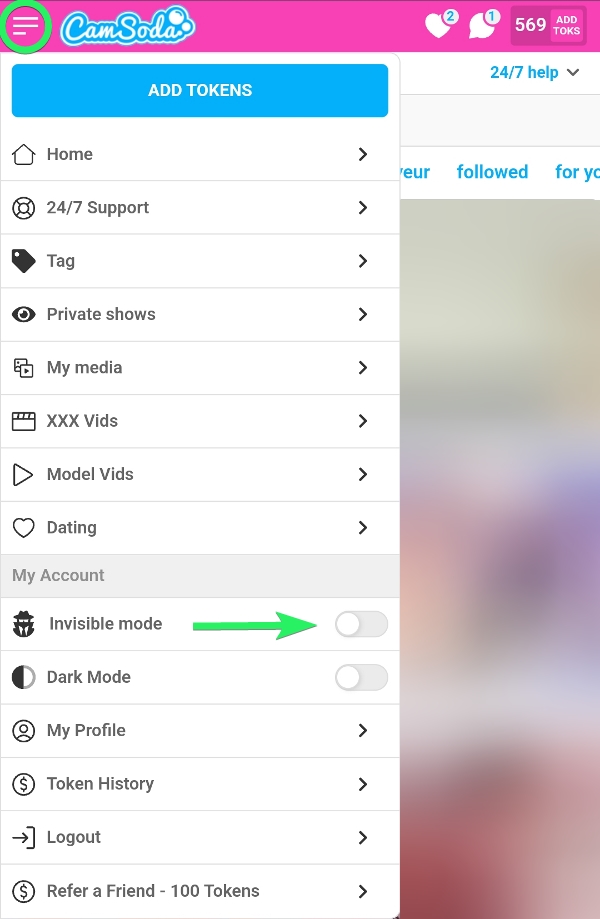
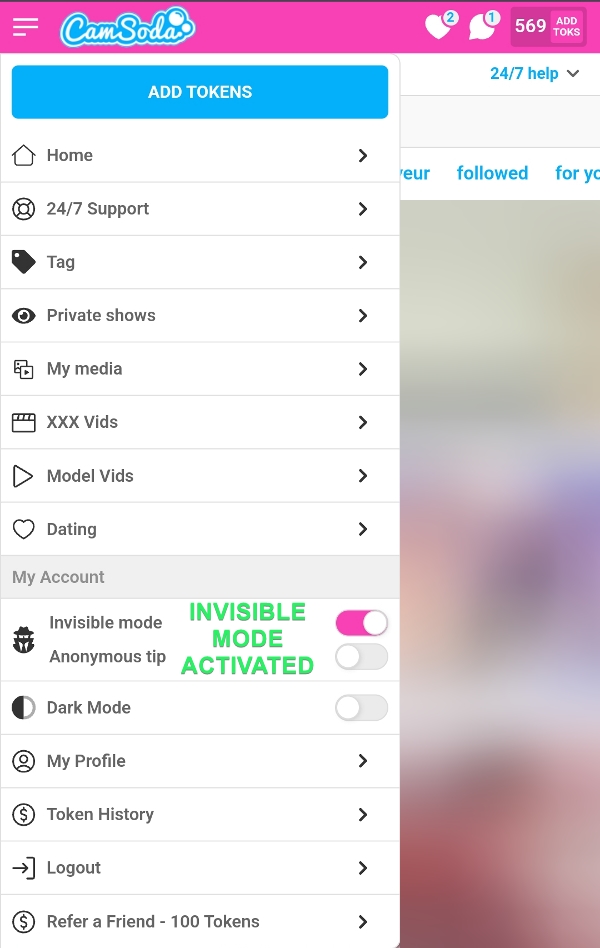
Premium members of CamSoda can enjoy a more tranquil browsing experience by enabling the Invisible Mode feature. When activated, this mode ensures that both models and other users are unaware of your online presence, significantly reducing the number of incoming communications. By default, this feature is set to 'Invisible Off'.
To enable Invisible Mode on mobile devices:
- Tap your dropdown menu (3 horizontal lines) and activate the Invisible Mode toggle.
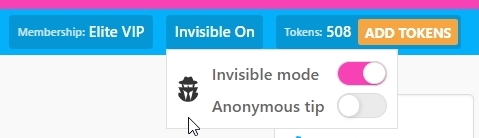
For desktop users:
- Invisible Mode can be toggled by hovering over the button near the top right of your browser.
Additional Information:
- When you tip with Invisible Mode, the model can still tell you tipped, but other users cannot.
- Members can toggle anonymous tipping via Invisible Mode. This setting makes the tip fully anonymous to other users and the model.
Note: if you wish to participate in a model's public show by sending messages to the chatroom, you'll need to toggle Invisible Mode off as a PM window will open while switched on.