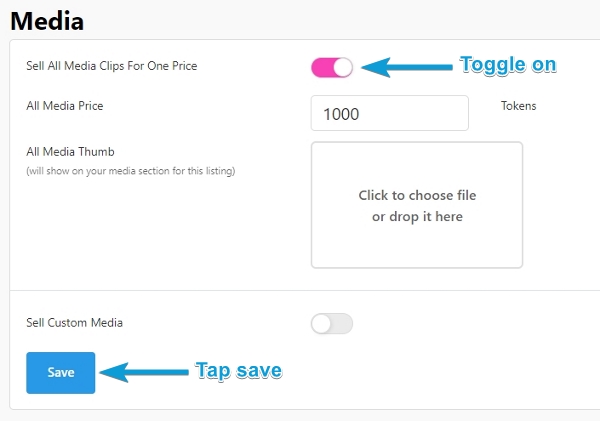
If you have multiple pieces of media for sale, you have the option to Sell All Media at a rate determined by you, to members. Typically models will use this feature to sell all their pieces of published media in a bundle at a discounted rate. As long as a member has not already purchased every piece of your available media, they can choose the option to buy your media package.
To activate the Sell All Media option:
- Navigate to your Settings & Privacy section, and scroll to Media.
- Toggle on the Sell All Media Clips for One Price, and set the price.
- Click save, and then the bundle purchase option will be available on your profile.