To sell media via private mass message, available once every 7 days, follow these steps:
- Upload the media you want to send via mass private message if you've not already done so.
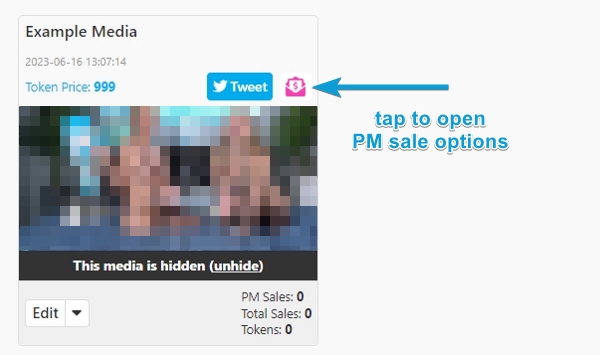
- Once your upload is complete and available, you can offer the media for sale via private message by tapping the pink envelope with a dollar sign icon.
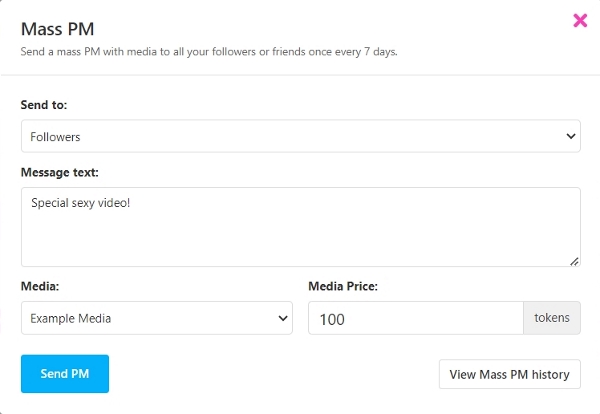
- Select who will receive the mass private message - followers or friends, enter the message text, select the media from the dropdown, and set the price. Consider offering a discounted rate to entice sales.
- Tap the send PM button and that's it!
- You can also send a mass private message from the Message Center by tapping the envelope icon and completing the process.
Additional Information
- If it's been less than 7 days since your last mass PM, you'll receive a notification window about the waiting period.
- Tap the View Mass PM History to see previous mass messages and their statistics. This information is also available under Settings & Privacy in the Private Messages subsection.
- You can delete your mass private messages from here.
- Purchased media remains accessible to buyers, but will be unavailable for new purchases.